Thursday, 17 May 2012

Game design document contents


—Games design include extensive amount of artwork and idea generation to help game developers/learners to develop and create towards a final game.
—Game controls
—Platforms its designed for
—Target audience
—Similar games or designs on the market, how is yours different or better?
—Narrative/story of the game
—Game layout charts
—Storyboards
—Level layouts
—Environment illustrations
—Character design
—Model profile sheets
—GUI designs
—Thumbnail sketches
—3D Modelling

Wednesday, 9 May 2012

basic intro to unity

Today we started learnign the interface of untiy, a 3d modeling and game engine. this was great fun the software its self is extremely fun and easy to use. picking up the new tools was simple and allowed freedom of creation. even tho this is just the basics you get the feeling that making games and stuff if you really try to learn the software will not be a difficult task.

the first step in unity was to create a terrain, this creates a standard square area in which you can build and place other 3d models you have, so essentially the base of your game. however you can set up your own speccs for this terrain but for the purpose of learning the basics we avoided that area.
the next step is selecting your brushes, the right hand side panel is where every option comes up pretty much. when ever you select some thing different the panel will change with all the new options. the tool i had selected is the building tool where you can paint on hills and mold your terrain in basic ways to have varying heights within it. this this exercise i created mountains and raised most of my terrain for the next part of the exercise.
i then added the water in to make an island this is what my island looked after using the first 2 steps. with my island step up, our tutor gave us some time to play with all the options within unity and really get a feel for the options and different things you can do within the software.


the pictures above are me simply exploring tool within the software and find different ways of looking at them. i feel that if i spent time really learning this software it could be extremely fun to design and create landscapes for games and other things.

Thursday, 8 March 2012

What is an interface

A boundary across which two independent systems meet and act on or communicate with each other. In computer technology, there are several types of interfaces.
user interface - the keyboard, mouse, menus of a computer system. The user interface allows the user to communicate with the operating system.
software interface - the languages and codes that the applications use to communicate with each other and with the hardware.
hardware interface - the wires, plugs and sockets that hardware devices use to communicate with each other.
To connect with or interact with by means of an interface.

Thursday, 1 March 2012

Flash maze design

Task. was to create a flash interface to go the flash maze game file we where given. I used photoshop to create the background i have used and i then changed the buttons into Bold rounded rectangles to draw attention in. i use very in-formal language. Even going as far to taunt the player when they fail to complete the maze because it would result in them getting more angry and making it harder for them to concentrate on completing the task. i havent placed a new maze within this file yet because i can not find a design i like. therefore when i have found a maze i like i will place it within the file.


Thursday, 23 February 2012

Game interface IDEA!!

My idea for my game interface. Is to actually create a Game interface for my story in my FMP in-case i ever take it into the direction of a game. I did these designs on traditional paper very basic and block like designs to simplify and just position the elements in the way i'd like i have four basic idea however i think i need to go more in depth and decide on a final positioning before i go into detailed design of things such as health bars and other added extra's that i could incorperate

game interfaces from consoles and PC.

Pc games and Consoles that i play and like the interface for. Games i picked are Skyrim, Devil may cry 4, Viking and Assassin's Creed. these games have varying interfaces from the overly crowded DMC4 interface in the top left corner. to the simple and smooth interface of Viking. I would use a mix of these games to create and flowing and easy playable interface.


Thursday, 9 February 2012

Flash game interfaces

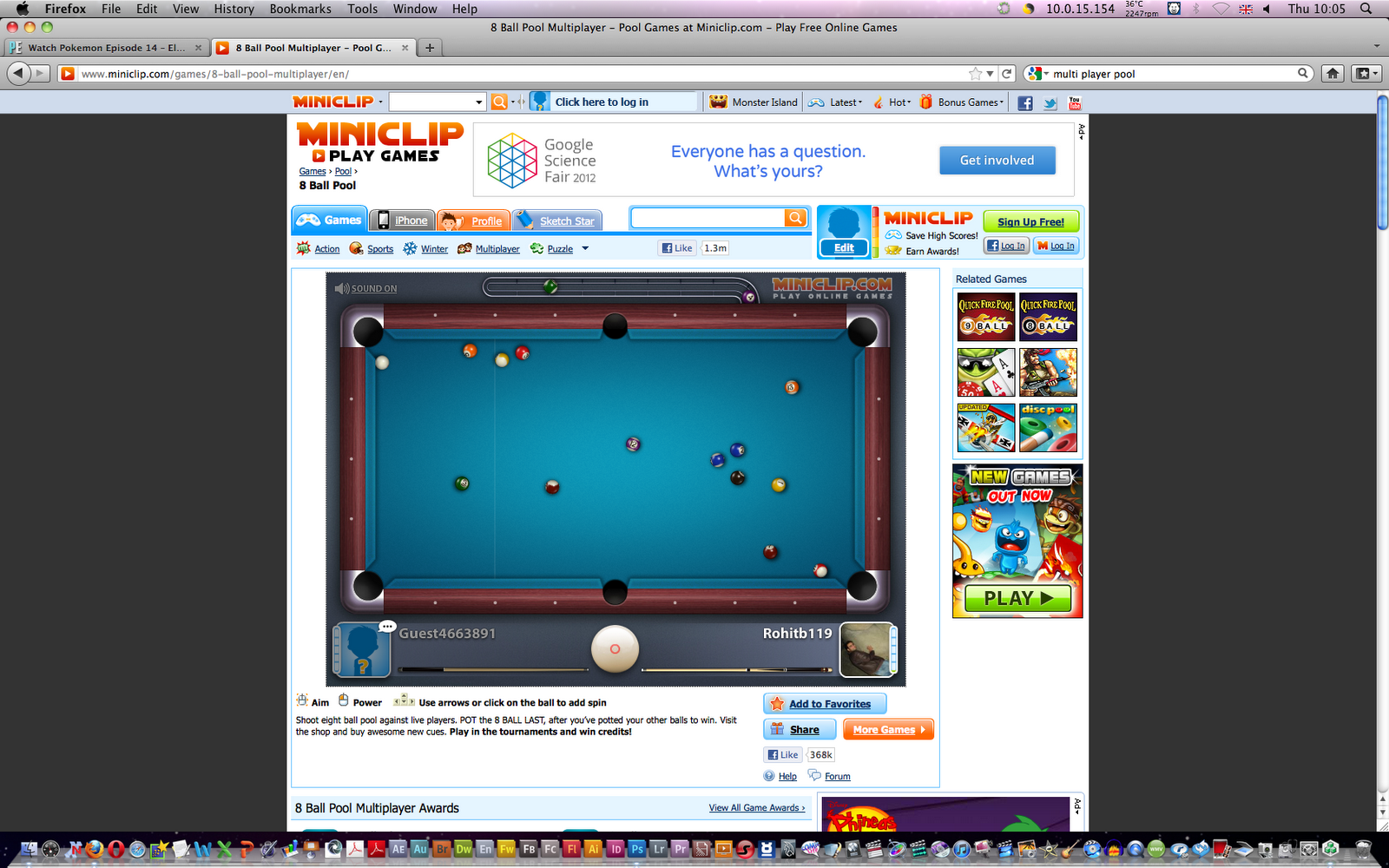
Today i have research interaces of online games, i have chosen a facebook game and 2 online games i played before.
The Facebook game is Backyard monsters this is a simple little game and the interface is very simple and easy to use it is simply a clicking game. however some times placing your buildings can get irritating therefore you have to play it for a long time to make a building that allows you to have a birdseye view of your base to let you move and place builds where you want.

The first online game i picked is Multi Player Pool on miniclip. this game is actaully completely online you can play friends or random people from all over the world. the movement is very easy use you mouse to line up the shots click and draw the mouse back to gain power on your shot. however one problem is that unless you read the description of the game you never really know what the big white ball in the middle is used for, this is of course used for spin you can change the spin of the shot by clickin the big ball or using the arrow keys. either way its very unaccurate and usaully leads to more hassle than its worth.

The final game is a basic tower defence game, Viking Defence. this game is click and place. you click the button labeled attack to start the wave or use space bar. the game is fun and easily passes the time, however at first i didnt notice there are multiple pages of tower and only certain towers hit certain enemies therefore i died quickly and had to explore the whole interface before starting the first round.